Plain
Turn Plain support conversations into a prioritized content backlog.
Get startedConnect your Plain inbox and Workover reads the questions your team answers every day, turning recurring threads into a ranked list of docs worth writing. The connection is read-only: Workover never writes back to Plain.
- Surface documentation gaps from real customer conversations
- Rank content ideas by how often a question actually comes up
- Read-only access, Workover never modifies your Plain workspace
How it works
- 1
Create a read-only API key in Plain
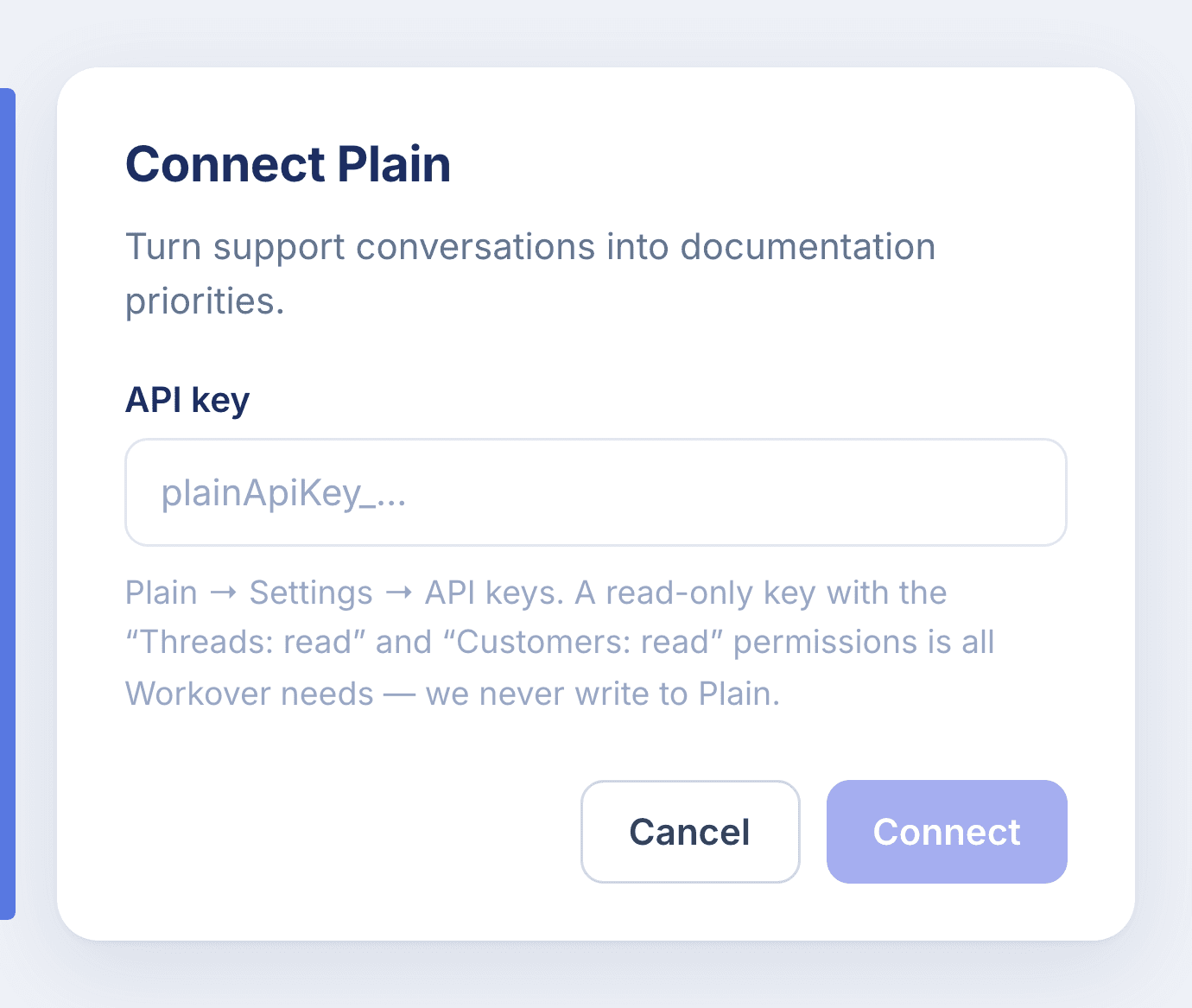
In Plain, go to Settings → API keys and create a key with the "Threads: read" and "Customers: read" permissions. That read-only scope is all Workover needs.
- 2
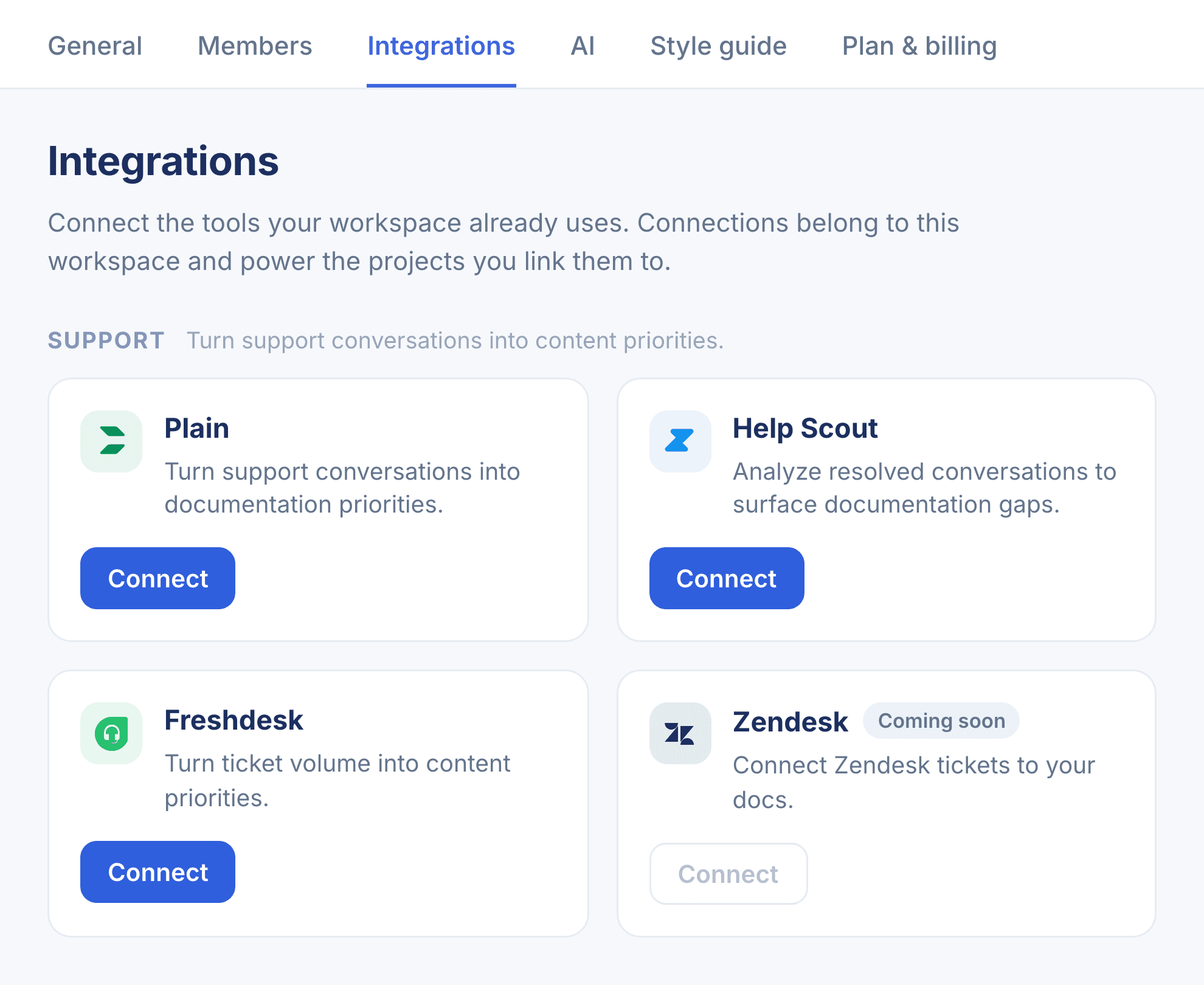
Open Settings → Integrations in Workover
In your Workover workspace, head to Settings → Integrations and find Plain under the Support group, then click Connect.
- 3
Paste your API key and connect
Drop the key into the Connect Plain dialog and confirm. Workover validates it and stores it in your workspace’s encrypted credential vault.
- 4
Mark your documentation project
In project settings, mark the project that holds your help articles as Product documentation. Workover then groups recurring questions, checks them against those articles, and suggests the new articles worth writing.
Read-only. Workover requests only Threads: read and Customers: read, and never writes to Plain.
Connect Plain to Workover
Every connection belongs to your whole workspace. Set it up in a couple of minutes.