Sharing a document
Anyone who can edit a document can share it. You do not need an admin, and the person you share with does not need to be in your workspace.
Share with a specific person
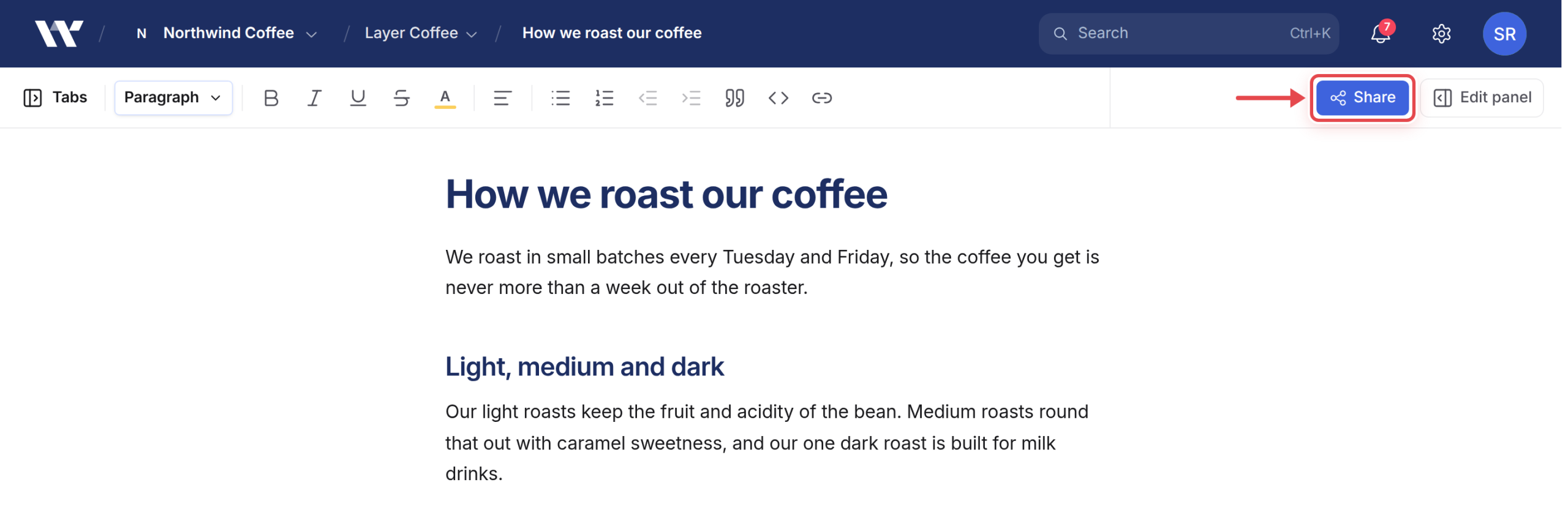
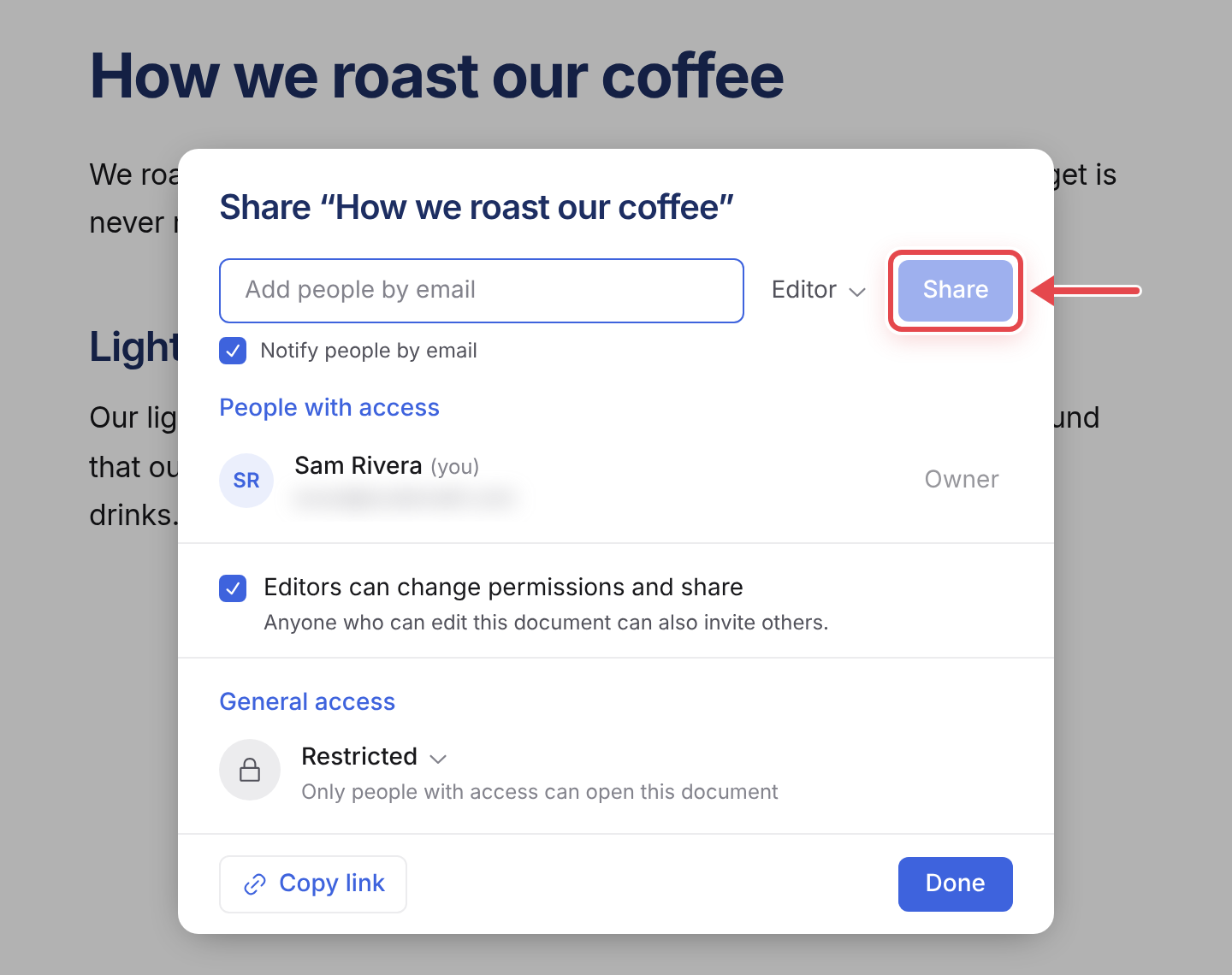
Open the document and click Share. A dialog appears titled Share followed by the document name. Type their email address in Add people by email, choose a role from the menu next to it, and click Share. Editor is selected by default; the other options are Commenter and Viewer:
- Editor: change the content, and share it onwards.
- Commenter: comment, but not edit the text. The right choice for a reviewer.
- Viewer: view only.
Notify people by email is ticked by default. Untick it to add someone without sending them an email.
The People with access list shows everyone who can open the document, along with their role.
Editors can change permissions and share is on by default: anyone who can edit can also invite others. Untick it to keep sharing to the owner.
Someone without a Workover account gets a pending invitation, and they land in the document once they have signed up.
They see only that document, not the project it lives in, not your other content, not your workspace.
Share with a link
Link sharing lives in the same dialog, under General access. Set it to Anyone with the link instead of Restricted, and anyone who has the link can open it, within the role you give the link and, for a Viewer link, who you allow to open it. See Share links for the details.
Prefer sharing by email when you care who is reading.
What this costs
Nothing. Sharing documents does not consume a seat, no matter how many people you share with or what role you give them.
Adding someone to a whole project is what costs a seat. So for a freelancer working on a handful of articles, share the articles, not the project. Members and seats explains the boundary.
Stopping access
Open the person’s role menu in People with access and choose Remove access, or set General access back to Restricted. Both take effect immediately, including for someone who has the document open at that moment.
Their comments and suggestions stay, and stay attributed to them. Removing access does not rewrite history.
What a shared person cannot do
They cannot publish to WordPress, see the site connection, or reach anything else in the project. Publishing is deliberately not shareable: it stays with people who have project access.
Related
Still need help?
Can’t find what you’re looking for? Our team is here to help.