Images and media
You can add images and embedded videos to a document, give images alt text and captions, and set a featured image for WordPress. This page covers how to do each, and what happens to your images when you publish.
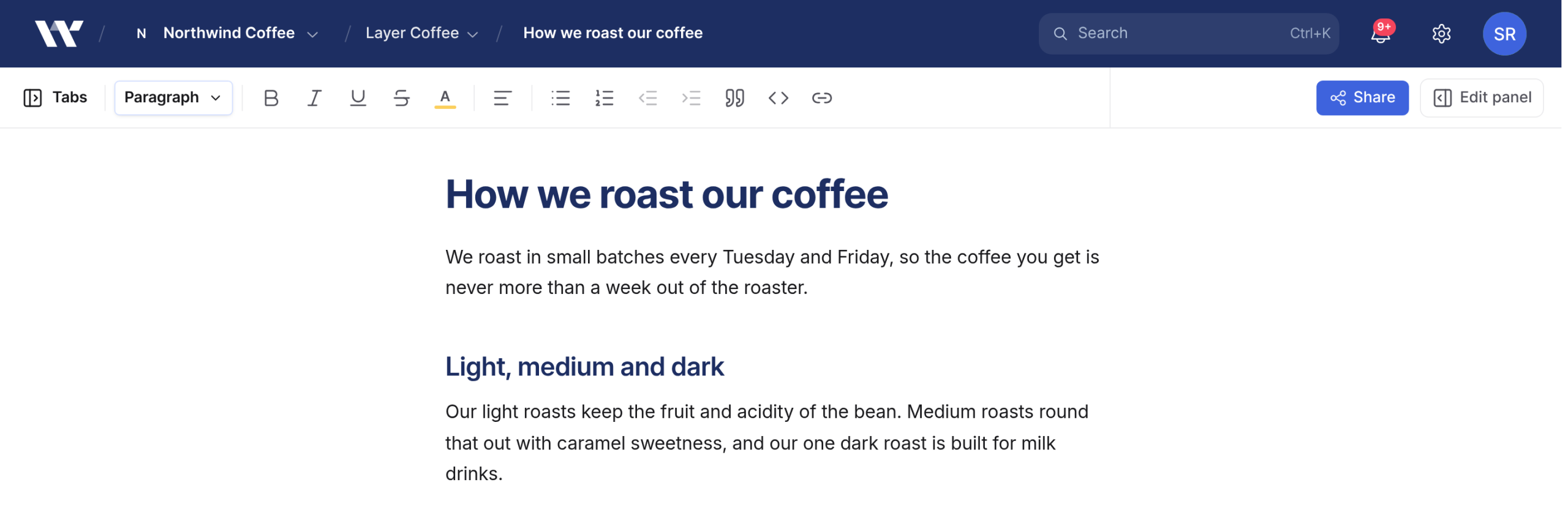
Before you start: you need the editor or owner role on the document. The publishing and featured image parts need a document in a project connected to WordPress.
Insert an image
Add the image in one of these ways:
Type
/imageand select Image.Drag an image file into the document.
Paste an image file from your clipboard.
- In the Insert image dialog, choose or drop the file if it is not already loaded. Workover accepts PNG, JPG, GIF and WebP.
- Check the File name. It becomes the image’s name in your WordPress media library when you publish.
- Enter Alt text that describes the image.
- Select Upload + insert.
Workover does not resize or compress images. Resize large screenshots before you upload them, or your readers download the full file.
Edit alt text, file name or caption
Select an image in the document to see its menu:
- Edit opens Edit image, where you can change the File name and Alt text. Select Save.
- Add caption adds a caption under the image. On an image with a caption, this reads Remove caption.
- Remove deletes the image from the document.
An image with no alt text still publishes, but screen readers and search engines get no description of it.
Embed a video or other media
- Type
/videoand select Video / embed. - In Insert video / embed, paste the link into Media URL.
- Select Embed to show it inline, or Add as link to insert a plain link instead.
YouTube, Descript, Vimeo, X and Facebook links can be embedded. Any other link can only be added as a link.
To turn a YouTube embed back into a plain link, select it and choose Convert to link. Other embeds have no such option: delete the embed and add the link again with Add as link.
Where images are stored while you write
An image you upload is stored in Workover and referenced from the document. Only signed-in members of the document’s project can load it, plus anyone reading the document signed out through an Anyone with the link viewer link.
What happens when you publish
When you push a document, each image that Workover uploaded and that is not already on the site is uploaded to your WordPress media library, and the post points at the copy there. The alt text is set on the WordPress media item as well. On later pushes, Workover reuses the media item rather than uploading it again.
Warning: Images that Workover does not host, such as an image linked from another website, are not copied to WordPress. The post keeps pointing at the original address, so the image breaks if that site removes it. If an upload to WordPress fails, the image is also left as it was, pointing at Workover’s private copy, which site visitors cannot load. Check the published post after a push. To keep an image, download it and insert it with Image so Workover uploads it.
Once an image is in your media library, the published post no longer depends on Workover for it. See How to fix images that are missing after publishing if an image does not appear.
Set a featured image
The featured image is a WordPress field, separate from the images in the body.
- Select Edit panel in the toolbar.
- Open the WP tab.
- Under Featured image, select Upload image, then choose a file. To replace it later, select Change image.
The featured image is uploaded from your computer. You cannot browse your WordPress media library from here.
Download a document’s images
To download every image in a tab as a zip, with their real file names, see Exporting a document.
Related
Still need help?
Can’t find what you’re looking for? Our team is here to help.