Your profile
Your profile belongs to you, not to a workspace, so it follows you into every workspace you belong to. This page lists what you can set on the Profile tab and covers the other account tasks: changing your email, resetting your password and managing connected tools.
To open it, open your avatar menu and choose Profile. This opens Account settings on the Profile tab.
Profile fields
| Field | What it is |
|---|---|
| Avatar | Click Upload to add a picture, Change to replace it, or Remove to go back to your initials |
| Display Name | Required. Shown throughout Workover. It can differ from your first and last name. |
| Title | Shown on your profile. It can differ from titles assigned to you on individual projects. |
| Bio | A short description of your role |
| Email Address | Your sign-in address. Read-only here; use Change Email to change it. |
| Location | Where you are based |
| Time Zone | Workover uses your time zone for email and alert notifications |
Click Save after changing any field.
Avatars are not on a public web address. They are shown only to people signed in to Workover.
Change your email address
- On the Profile tab, click Change Email.
- In Change email address, enter the new address and click Send confirmation link.
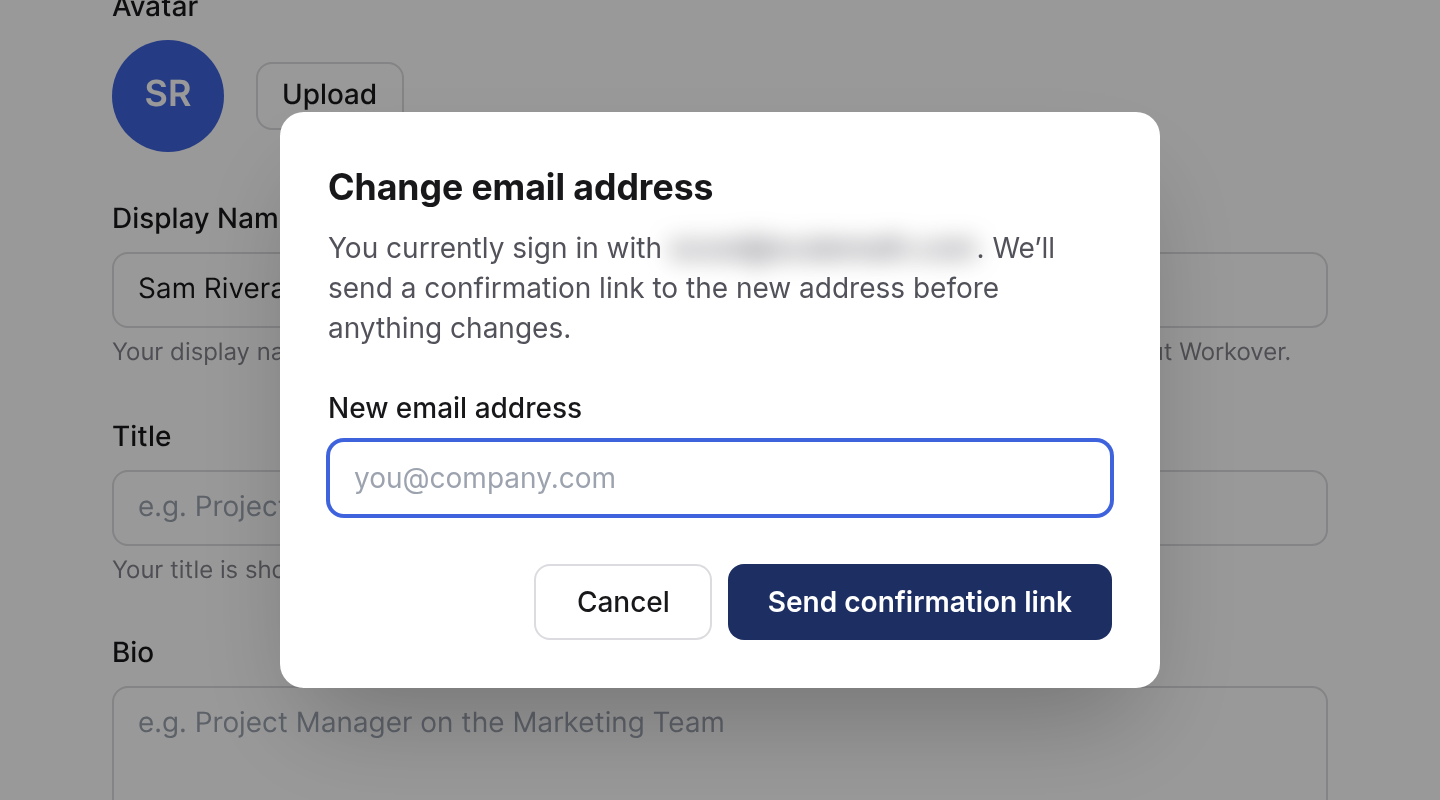
- Open the confirmation link sent to the new address.
The change only happens when you open the link. Until then, you keep signing in with your current address, so a typo cannot lock you out.
Reset your password
There is no password field in Account settings. To change your password, sign out, click Forgot password? on the sign-in page, and follow the emailed link.
Two-factor authentication
Turn it on from Account settings > Security. See How to turn on two-factor authentication.
Connected tools
Account settings > Developer lists the CLI and MCP connections signed in to your account under Connected devices, with when each was last used. Click Revoke next to anything you do not recognize. See The CLI and MCP server.
Leave a workspace or delete your account
There is no button for either. Contact support. If you own a workspace, deleting your account means deciding what happens to that workspace, and ownership cannot be transferred in the app. See Workspaces.
Related
Still need help?
Can’t find what you’re looking for? Our team is here to help.