Workspaces
A workspace is your organization in Workover. It holds the member list, the plan and billing, the workspace style guide and integrations, and it contains your projects. This page explains how workspaces relate to each other and covers creating, switching, renaming and deleting one.
For how workspaces, projects and documents fit together, see Core concepts.
How many workspaces you need
Usually one. A workspace is a hard boundary: members, projects, content and billing do not cross it. Different teams or different websites are usually projects inside one workspace, not separate workspaces.
A second workspace makes sense when you are genuinely running separate organizations, for example an agency keeping two clients completely apart.
Warning: Every workspace has its own plan and its own bill. A second workspace is a second subscription, billed for its own seats.
What belongs to a workspace
- Members and their roles
- Projects, and everything in them
- The plan, seats, payment method, billing details and invoices
- The workspace style guide
- Integrations
Create a workspace
- Open the workspace switcher and choose New workspace. You can also go to Account settings > Workspaces and click New workspace.
- Enter a Name. The URL is filled in from the name, and you can change it. Optionally add an Icon, then click Create workspace.
You become the workspace’s owner. A new workspace is not on a plan, but you can use it for 7 days without one. To keep using it after that, an owner or admin starts the plan from Plan & billing. If nobody has by the end of the 7 days, anyone who opens it sees Start your free trial to continue. See How to start your free trial or subscribe.
Switch between workspaces
Use the workspace switcher in the app header. One sign-in covers all your workspaces, so you do not need to sign out and back in.
If one workspace is blocked because of its plan, your other workspaces are not affected. You can keep working in them.
Rename a workspace or change its URL
- Open the workspace switcher and choose Workspace settings. The General tab opens.
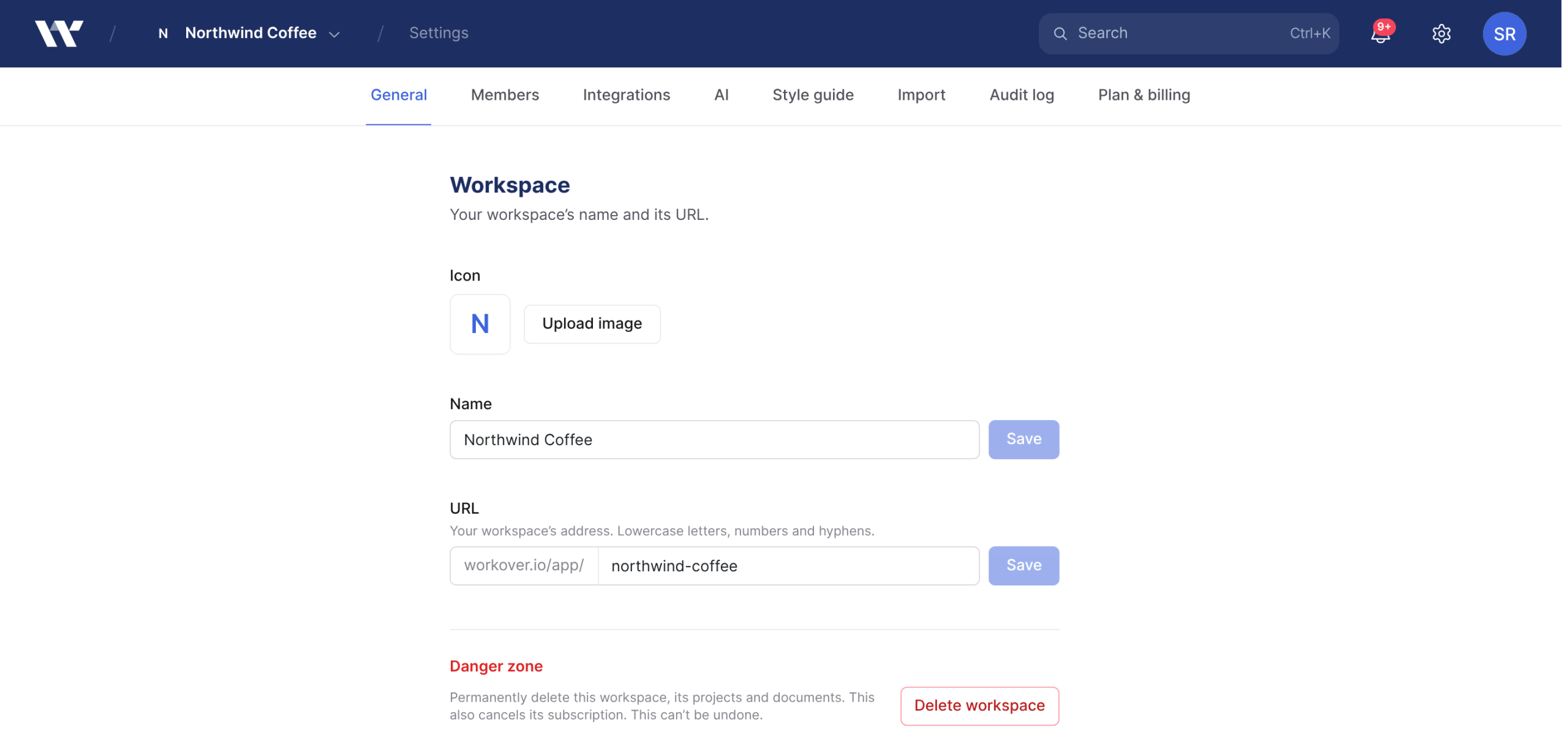
- Upload a new Icon, or change the Name and click Save.
- To change the workspace’s address, edit URL and click Save. It accepts lowercase letters, numbers and hyphens.
Only workspace owners and admins can change these. Changing the URL changes the address of every page in the workspace, so update any bookmarks or links you have shared.
Ownership
Each workspace has one owner, and only the owner can delete it. Ownership cannot be transferred in the app. If the owner is leaving your company, contact support. For what owners, admins and members can each do, see Roles and permissions.
Delete a workspace
Warning: Deleting a workspace is permanent. It deletes the workspace’s projects, documents and members, and it cancels the subscription immediately, not at the end of the period you have paid for. It cannot be undone. Export anything you want to keep first. If you only want to stop paying, cancel the plan instead.
Before you start: you must be the workspace Owner, and you must belong to at least one other workspace. You cannot delete your only workspace.
- Open the workspace switcher and choose Workspace settings. The General tab opens.
- Under Danger zone, click Delete workspace.
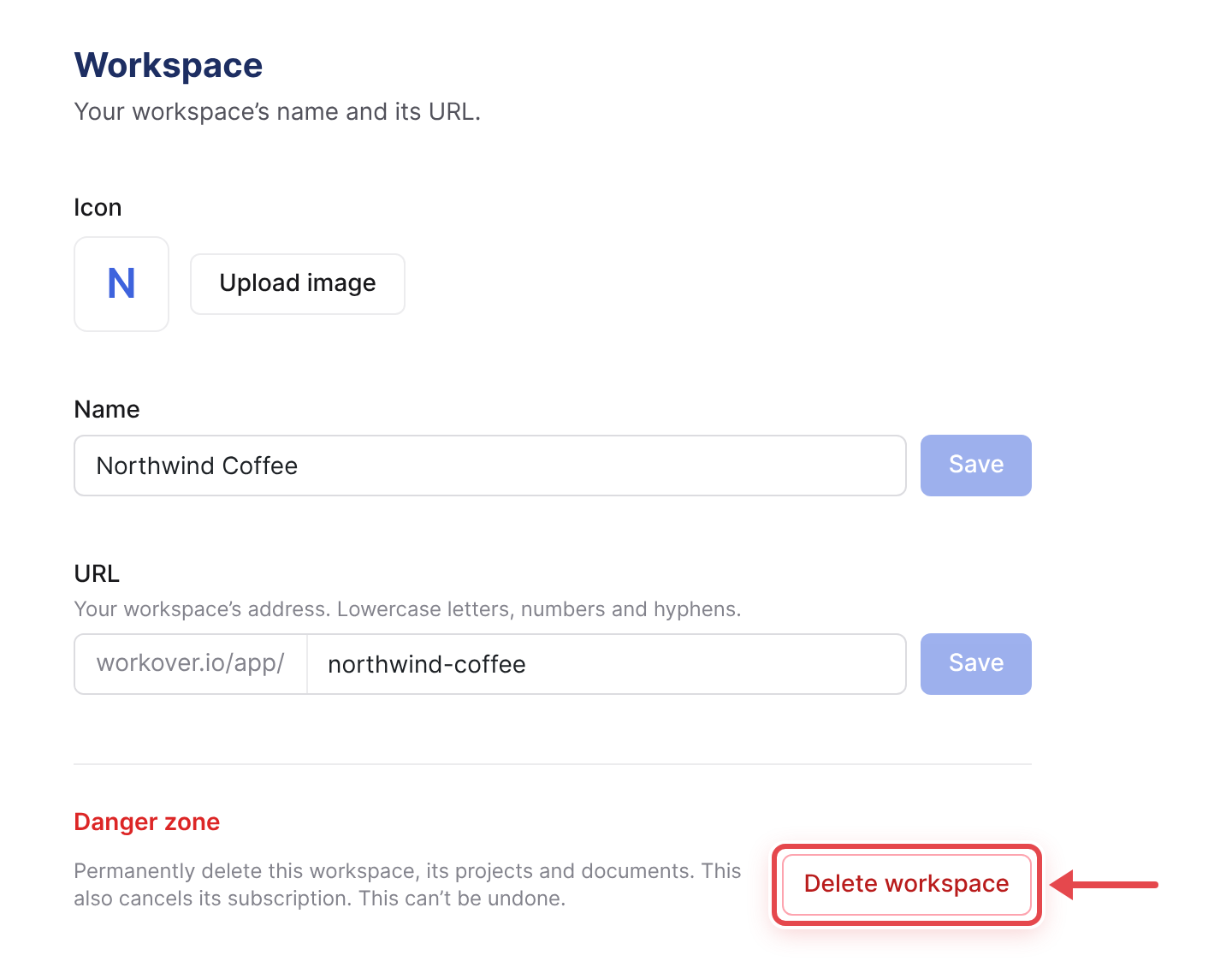
- Type the workspace’s URL to confirm, then click Delete workspace.
Deleting a workspace does not touch your WordPress site. Content you have already published stays there.
Related
Still need help?
Can’t find what you’re looking for? Our team is here to help.